
Huion Kamvas Pro 27 4K Screen 27 Inch Large Graphics Tablet Finger Multi-touch Pen Display with Two Pens 16K Levels Pressure


Huion Kamvas Pro 27 4K Screen 27 Inch Large Graphics Tablet Finger Multi-touch Pen Display with Two Pens 16K Levels Pressure
SPECIFICATIONS
Active Area: 596.7 x 335.7mm
Battery Included: No
Brand Name: HUION
Certification: CE,KC,weee
Color Gamut Coverage: 99% sRGB / 98% Adobe RGB / 97% DCI P3
Color Gamut Volume: 145% sRGB
Contrast Ratio: 1000:1
Digital Pen: PW600 / PW600S
Dimension: 656.1 x 405 x 22.7mm
Display Color: 1.07B (8bit + FRC)
Finger Touch: 10 Points Finger Touch
HUION Model: Kamvas Pro 27
High-concerned chemical: None
Important Tips: It can not work alone, you need to connect to a laptop/PC/Android device.
Interface Type: USB
LCD Type: IPS 60Hz
OS Support: Windows 10 or later, macOS 10.12 or later, Android 6.0 or later, Linux(Ubuntu 20.04 LTS)
Origin: Mainland China
Output Voltage: 19V 3A
PPI (Pixels Per Inch): 163 PPI
Package: Yes
Pen Technology: PenTech 4.0
Pressure Levels: 8192,16384 Levels
Resolution Ratio: 5080lpi
Response Time: 14ms (Typ.)
Screen Resolution: 3840x2160
Screen Size(diagonal): 27Inches 675mm
Stand: Integrated Stand 20 degree
Type: Pen Tablet Monitor,Digital Tablets
Video Interface: HDMI 2.0, DP 1.4, USB-C, DC, USB-A 2.0 x 2, 3.5mm headphone jack
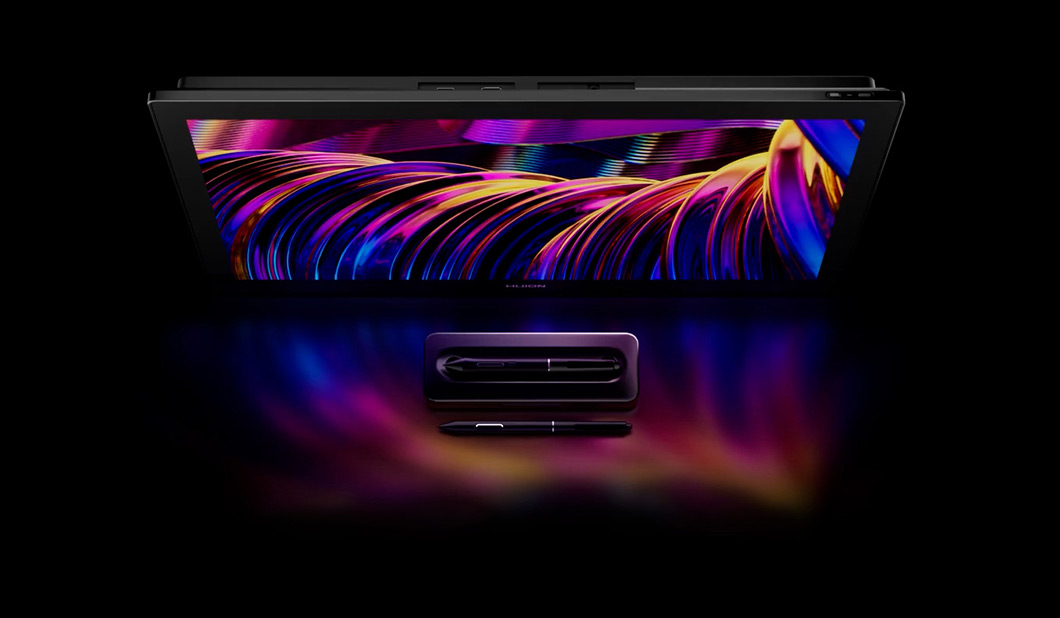
Kamvas Pro 27 For the Greatest.
Kamvas Pro 27 presents a 27-inch canvas with 4K UHD resolution, inviting the greatest artists and studios to explore boundless creative possibilities. Supported by cutting-edge Huion PenTech 4.0 technology and all-new Canvas Glass, the product offers artists and designers complete freedom to sketch and design with unparalleled precision and comfort.
Oversized Canvas, Every Pixel Razor-Sharp.
Combining 4K (3840x2160) resolution with a big 27 inch screen, the studio-grade display offers professional creators ample, crystal-clear workspace for tasks from illustration and animation to photo editing and visual effects.
Greatly Meets Professional Needs.
Kamvas Pro 27 accurately covers multiple color gamuts, including 99% sRGB, 98% Adobe RGB and DCI-P3, which combine with the 1.07 billion display color to show the professionals more detailed and smooth picture.
Each Screen is Calibrated and Certified.
Each Kamvas Pro 27 is rigorously 3D Lut color-calibrated before leaving our factory to ensure ΔE<1.5; it also comes with a corresponding factory calibration report to verify its accurate color representation.
All-New Canvas Glass!
The brand new Canvas Glass uses nano etching technology that evolves general anti-glare with anti-sparkle, which effectively reduces annoying image noise under a white background. It also provides a better paper texture to match full-lamination for better immersion during creation.
Dual Pen,Pen to Choose, Grip to Express.
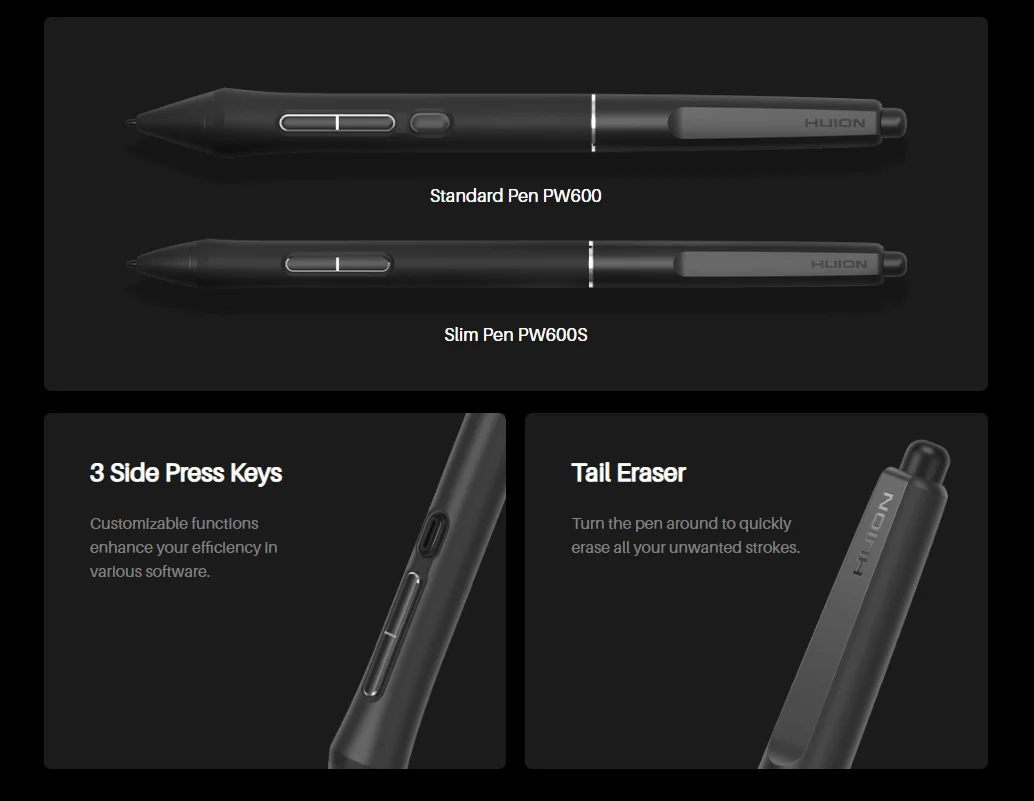
Tailoring to the distinct requirements of artists across diverse industries, Kamvas Pro 27 offers not one, but two pens: one with a standard grip and another with a sleek, slim form. You can create in perfect harmony with your unique habits and preferences. It also introduces a tail eraser for quick erasing, ensuring enhanced efficiency.
3 Side Press Keys: Customizable functions enhance your efficiency in various software.
Tail Eraser: Turn the pen around to quickly erase all your unwanted strokes.
PenTech 4.0, Capture Each Slight Press.
Except for the appearance, the new PenTech 4.0 also brings 2g initial activation force to ensure the perfect stroke while drawing lines lightly. and the finely tuned pressure curve perfectly shows 16K pressure sensitivity from light to bold. also thinner nib and tilt auto-alignment can help you better track the mouse and reduce parallax!
Shortcuts, Save Efficiency and Workspace Together.
Maximizing workspace can be quite a challenge for artists. Screen touch and the independent one-handed keyboard is the key to save workspace while offering a variety of convenient shortcuts. Easily save space by attaching a keyboard holder to the top edge of Kamvas Pro 27. This holder accommodates not only the keyboard but also your mobile devices.
*Multi-touch support is currently available on Windows only.


Ergonomic Design, All Good for Your Desktop.
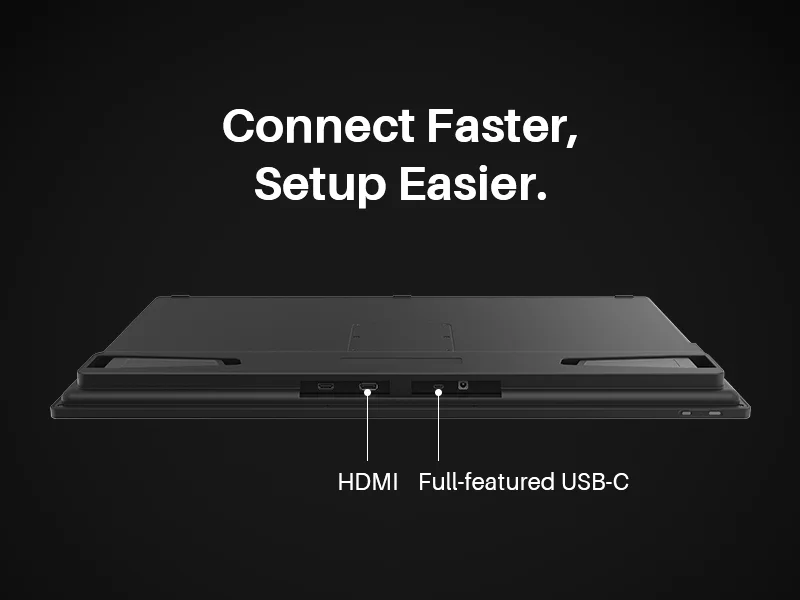
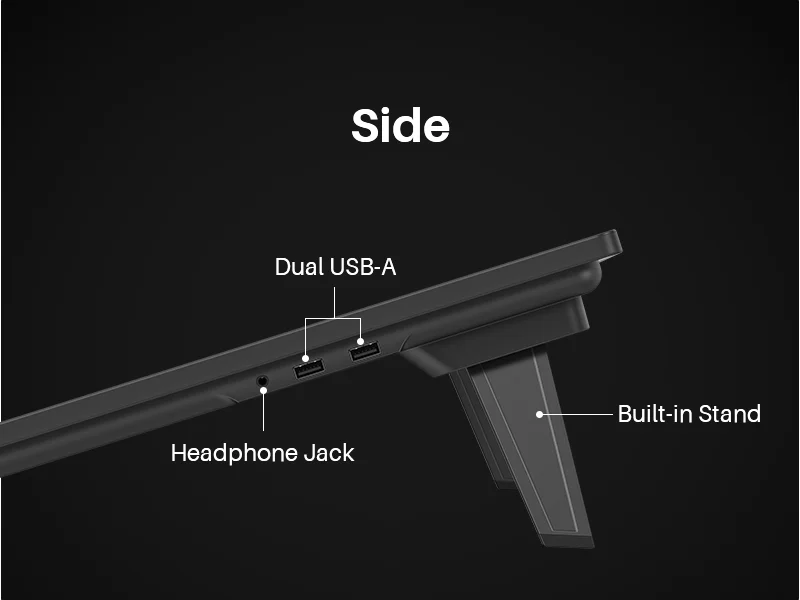
Designed for desktop use, Kamvas Pro 27 features connective ports positioned on the top, allowing cables to route upward for neater organization. Additionally, two side USB-A ports expand and simplify peripheral connections. Moreover, the standard VESA mount enables artists to find a VESA stand that best suits their working style.
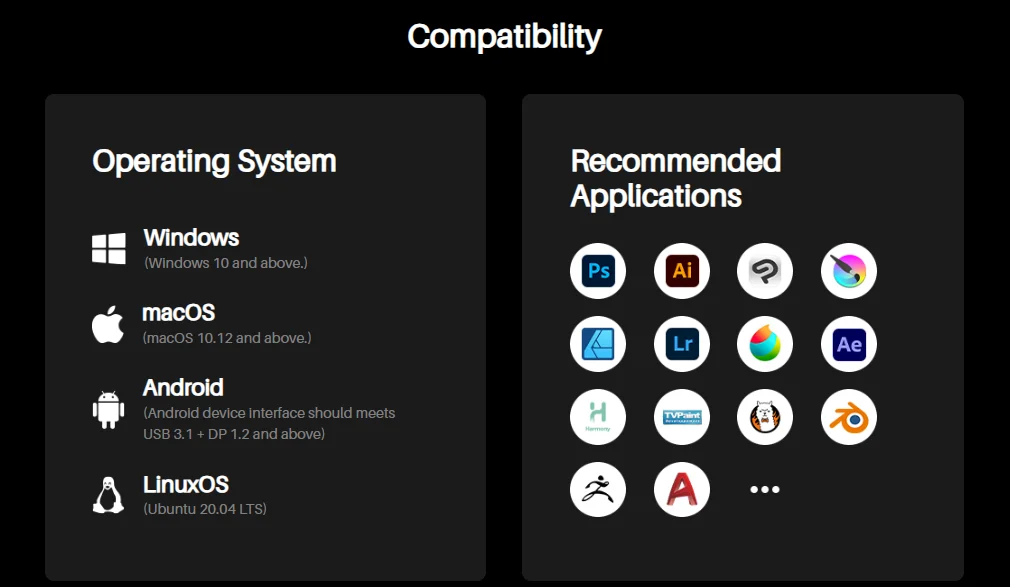
Compatible Operating System: Windows 10 or later, Mac OS 10.12 or later, Android devices that support USB3.1 GEN1 and DP1.2 and Linux OS(Ubuntu 20.04 LTS)
Strong compatibility
: It is also compatible with most digital art software, such as Adobe Photoshop, Illustrator, Clip Studio Paint, SAI, Krita, GIMP, etc.
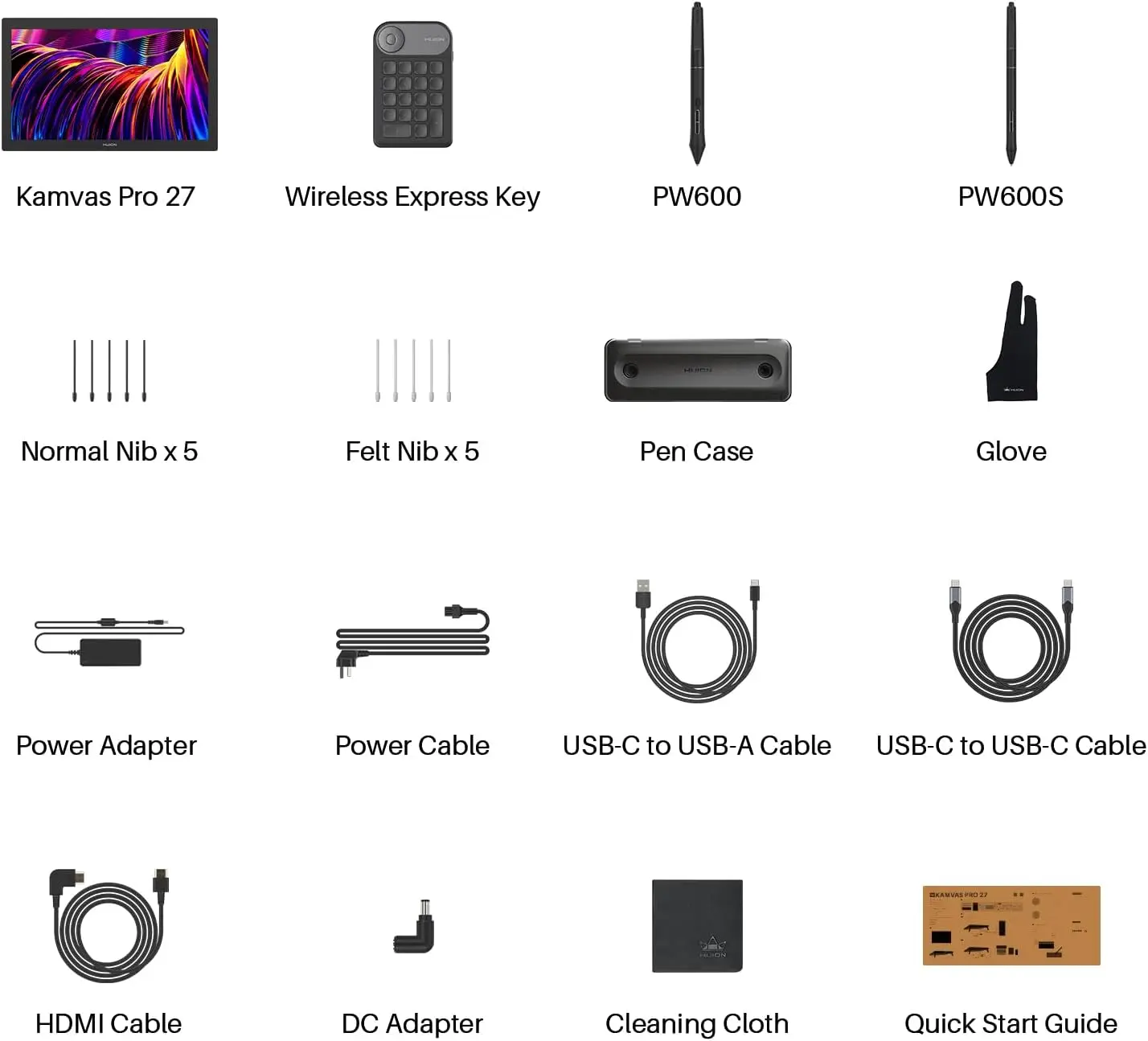
Package: Kamvas Pro 27, mini keyboard, Pen PW600, Pen PW600S, 5 Standard Pen Nibs, 5 Felt Pen Nibs, Pen Box, USB-C to USB-C Cable (1.8m),HDMI Cable (1.8m), USB-A to USB-C Cable (1.8m), Power Adapter, DC Power Connector, Artist Glove, Cleaning Cloth, Quick Start Guide, Color Calibration Report.
FAQ
How do I connect Huion Kamvas Pro 27 to my PC/Mac?
What is included in Kamvas Pro 27 color calibration report?
What color modes does Kamvas Pro 27 support?
Why isn't my Kamvas Pro 27 capable of displaying a 10-bit image?
What are the advantages and improvements of Canvas Glass?
Does Huion Kamvas Pro 27 have touch input?
How do I turn touch input on or off?
Will the fan noise of Kamvas Pro 27 be very loud?
Does my computer screen need to be 4K for the Kamvas Pro 27 to display 4K?
Can I use a USB-C to USB-C cable from other brands on the Huion Kamvas Pro 27?
How can I adjust the brightness of Kamvas Pro 27?
Can I use the Huion Kamvas Pro 27 as a second monitor?
Will the surface of Kamvas Pro 27 wear out after a period of use? Should I apply for a film?